From a worksheet to marked student work
How Axtant uses AI to prepare your worksheet, collect photographed answers and mark against your guide, with tutors handling review.
1. Upload one worksheet and guide
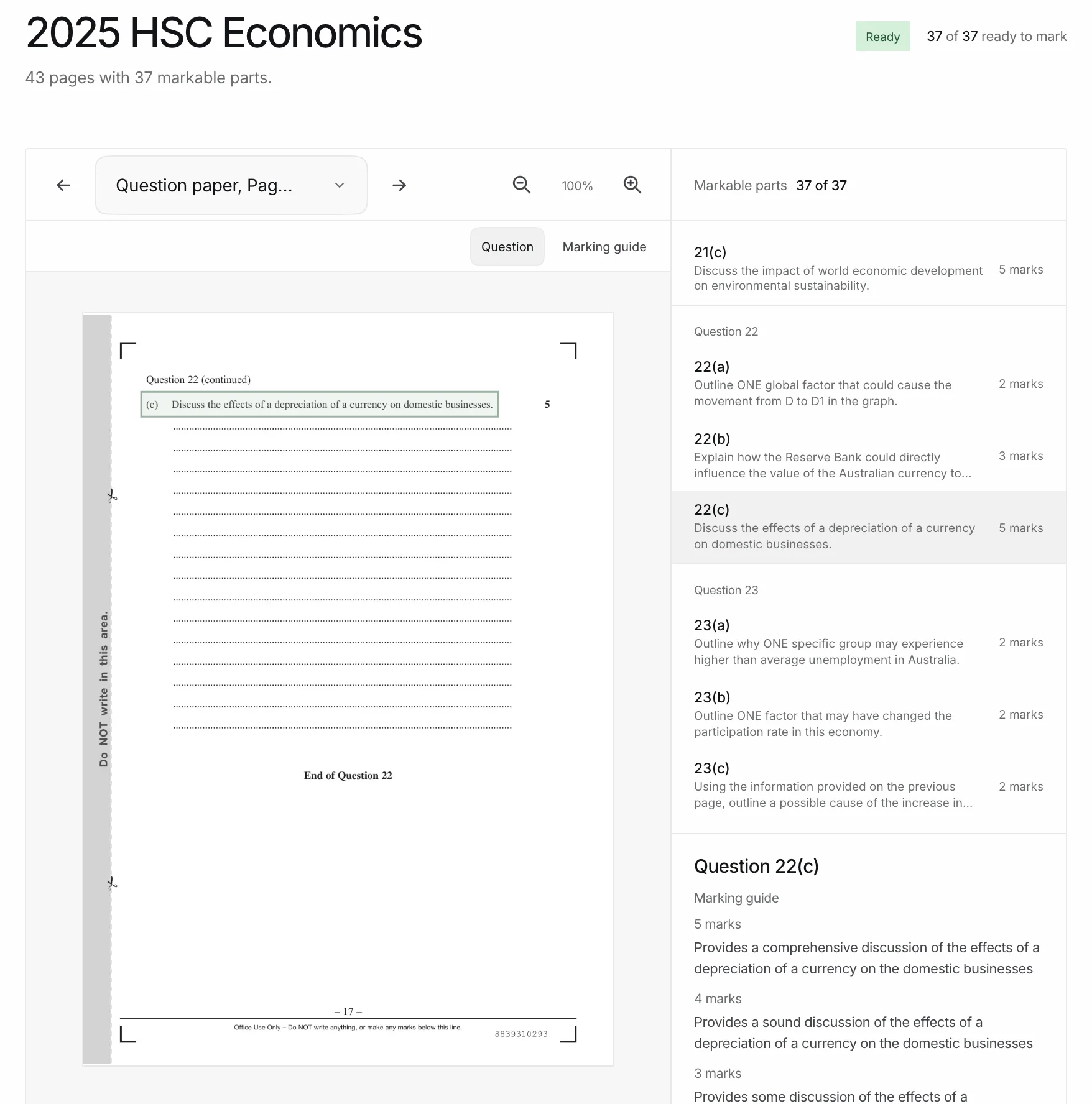
Axtant finds every question part and attaches its marking guide before you assign the worksheet.
2. Send students the assignment link
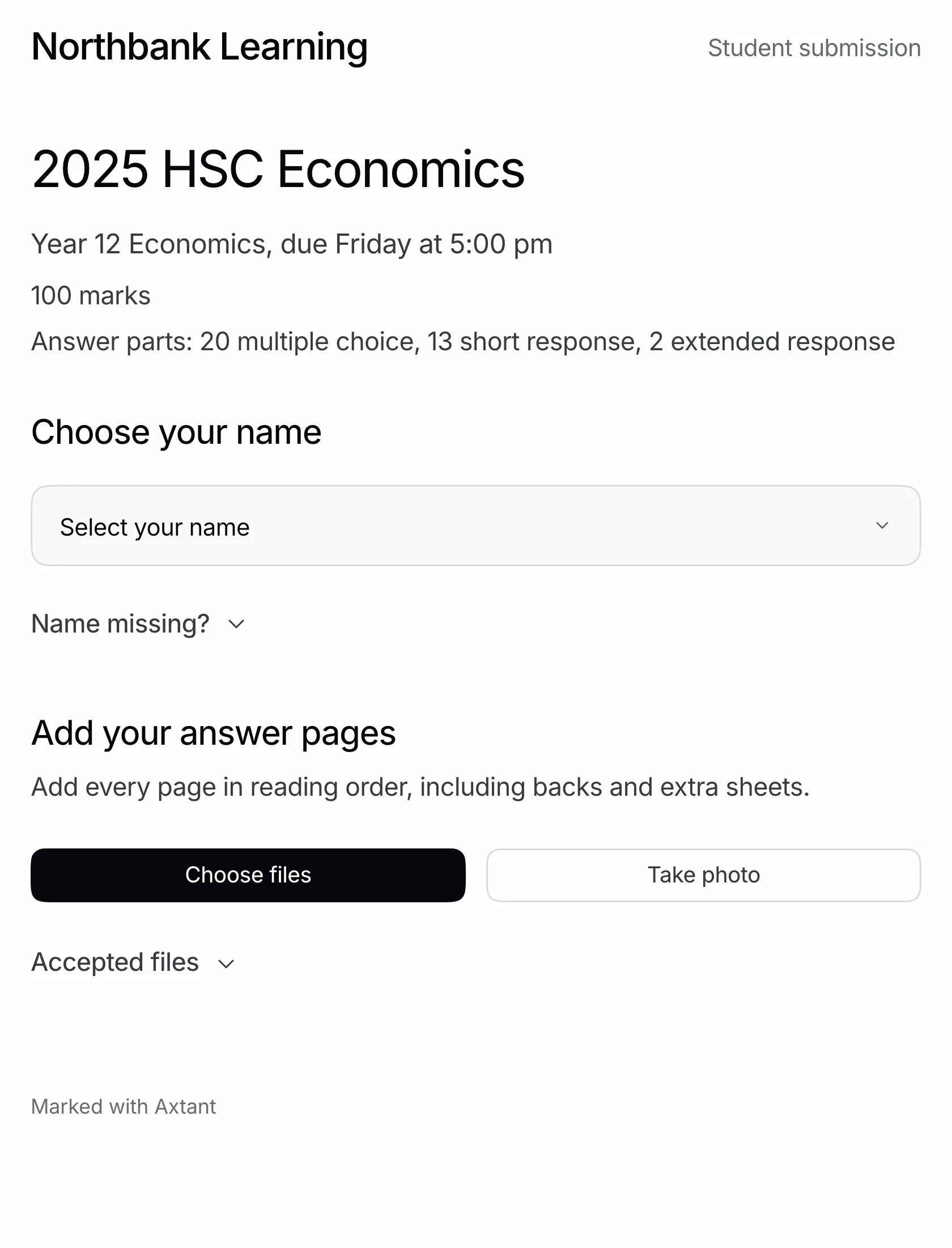
Students choose their name and photograph their answers. They do not need an account.
3. Review the questions that need judgment
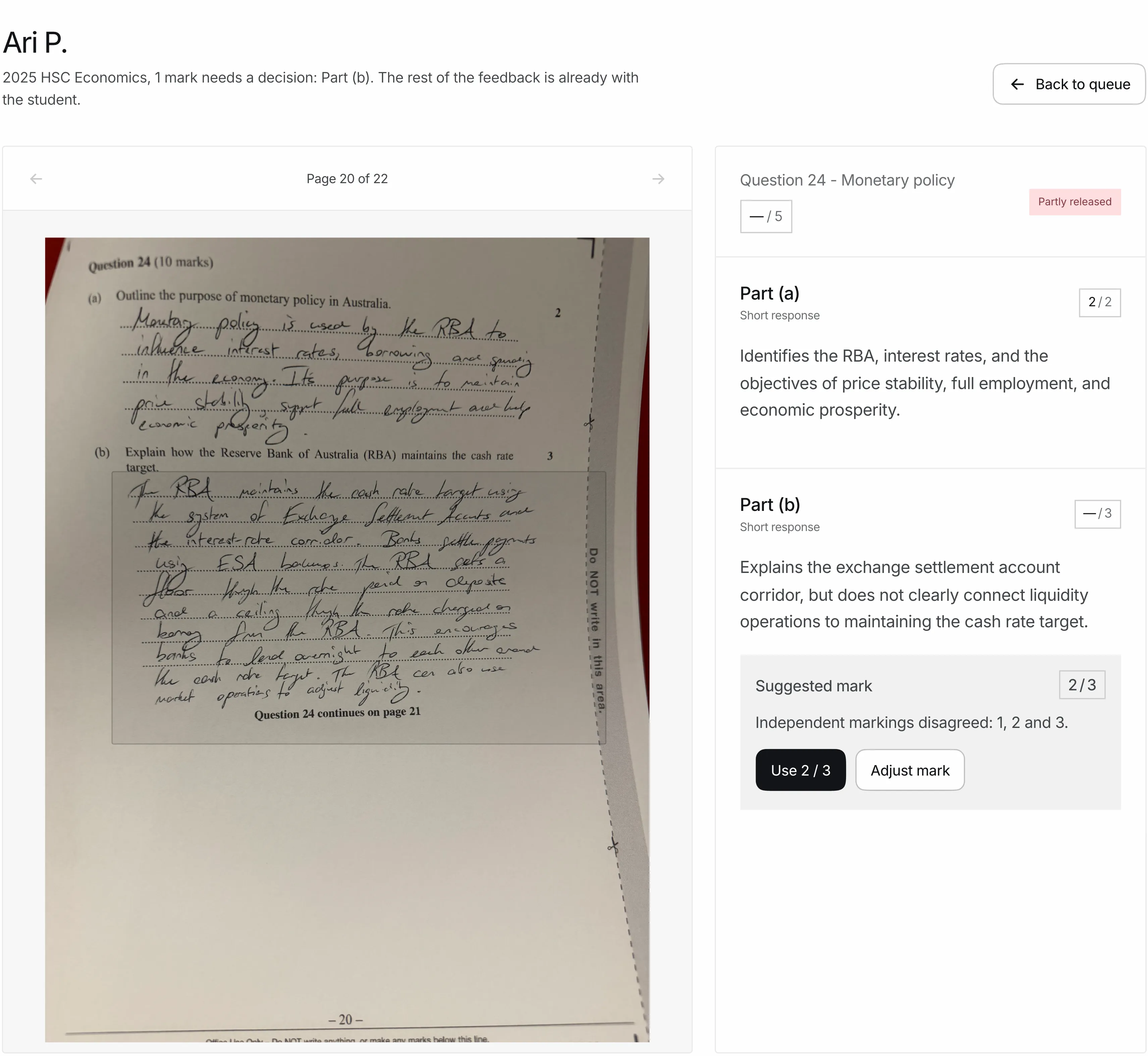
Axtant marks the work and sends feedback as each paper is finished. Tutors decide the answers it holds, and those follow on the same link.
Students open private feedback on any device once your agency releases it.
See the tutor review screenStart with one worksheet
Set up your agency workspace, choose a subject and upload your question paper and marking guide. Axtant reads the pages and connects the question parts to the relevant criteria. If setup needs a decision, it shows you what to check before you assign the material.
Reuse approved material for another cohort without rebuilding it. An assignment holds the class and due date for that particular use.
Students submit from their phones
Share the assignment’s submission link or QR code. Students confirm their identity, photograph their work and check the pages before sending. They do not need an Axtant account. Your agency can keep using its existing system for scheduling, lesson payments and parent administration.
AI marks against your guide
Axtant matches submitted work to the question parts and marks each one against your guide. Students get their feedback as soon as a paper is marked. An answer that needs judgment goes to a tutor with the student's page beside it, and its feedback follows once the tutor decides.
Routine work proceeds through the marking and feedback workflow automatically. Your tutors handle questions held for review; include that time when comparing costs.
Give students feedback they can use
Released feedback gives students a private view of their work and marks. The class brief brings recurring gaps together so tutors can decide what to revisit in the next lesson.